
How to Find Lost Billable Work in Gmail
You know you worked more than your billing system shows.
Before assuming the time is gone, look at your email.
For many lawyers, Gmail contains a remarkably detailed record of work performed throughout the day: client questions answered, documents reviewed, negotiations continued, issues analyzed, instructions provided, and follow-up completed.
The work happened.
The billing entry didn't always happen with it.
Why Billable Work Gets Lost in Email
Most missing time isn't the result of one dramatic mistake.
It disappears in small pieces.
You answer a client's question between meetings. You review an attachment before replying. You send a quick follow-up. A negotiation continues through several emails. You deal with an issue from your phone and move immediately to the next problem.
The work may take only a few minutes.
If it never becomes a time entry, however, your billing system has no record of it.
Repeat that process across weeks or months and those small omissions can become meaningful.
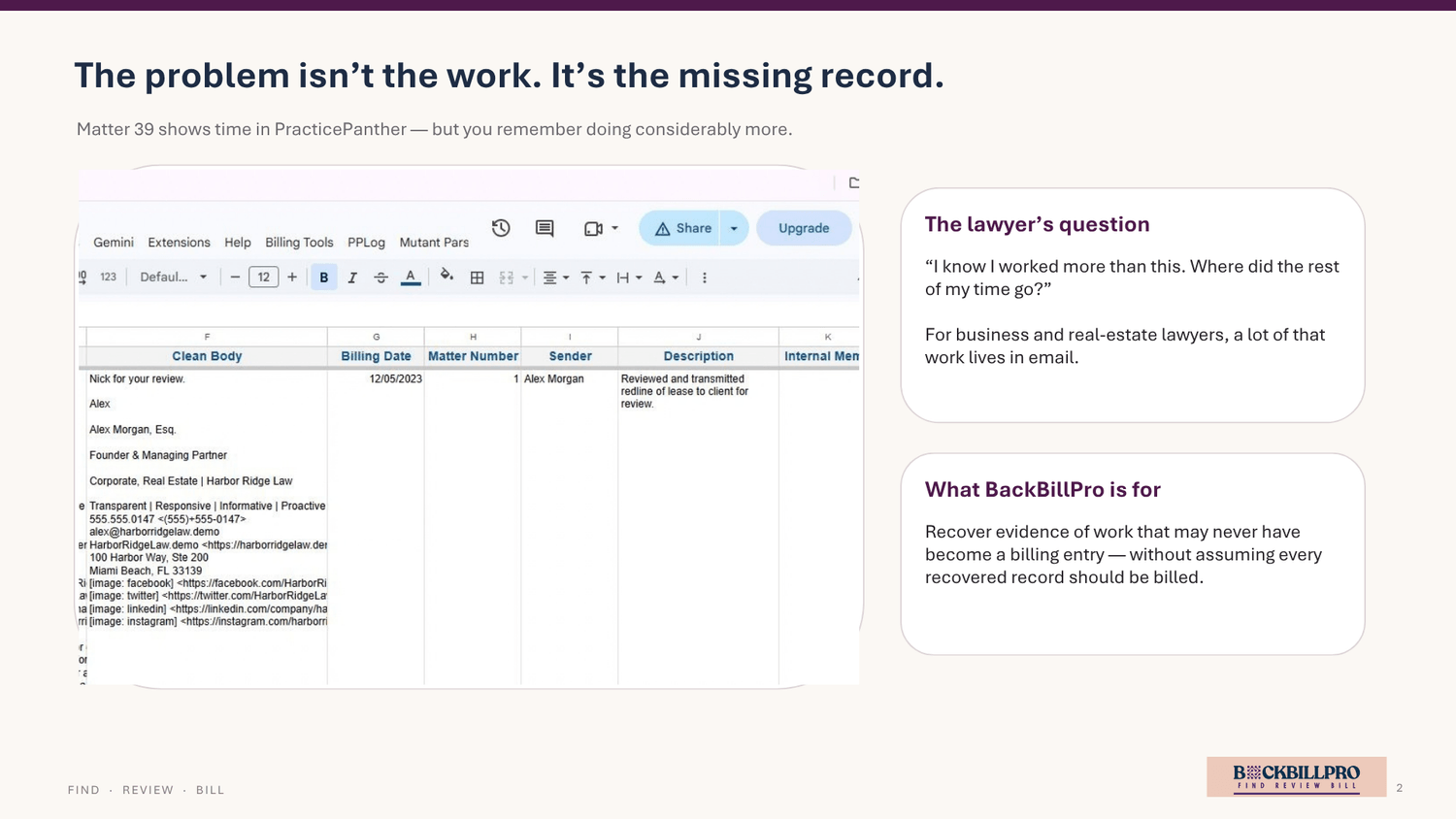
Gmail Can Help Reconstruct What Happened
Email can provide evidence of when communications occurred, who was involved, what was being discussed, and what work may have been performed.
That makes Gmail useful when trying to reconstruct missing billing activity.
A lawyer looking for potentially missed work can start by searching for a client's email address over a defined date range and comparing those communications with the firm's existing billing records.
But finding the emails is only the first step.
An Email Is Evidence, Not a Billing Entry
This distinction matters.
Finding an email does not automatically establish:
that the work is billable
how much time should be recorded
which matter the work belongs to
whether the work was already entered elsewhere
whether the resulting record belongs on the client's bill
Email can help establish that work occurred.
It doesn't make the billing decision.
That still requires review.
The Problem Gets Harder at Scale
Searching Gmail manually may be practical when you're looking for a handful of missing entries from last week.
It becomes a very different problem when you're trying to reconstruct months of work across hundreds or thousands of emails.
At that point, the challenge isn't simply finding messages.
It's turning the evidence contained in those messages into potential billing records that can be reviewed, reconciled with existing billing, associated with the correct matter, and either accepted or rejected.
That's the problem BackBillPro was built to address.
How BackBillPro Approaches Billing Recovery
BackBillPro searches historical email associated with client work and uses that evidence to help reconstruct potential billing records for attorney review.
The objective isn't to turn every email into billable time.
It's to find work that may have been missed and give the attorney enough information to decide what should happen to it.
The process is deliberately simple from the lawyer's perspective:
Find the work. Review the record. Decide what gets billed.
Because the first step in recovering lost billable work isn't guessing how much time is missing.
It's finding the evidence of the work you actually did.

ABOUT THE AUTHOR…
... I'm Julia Stein, creator of BackBillPro.
I built BackBillPro after seeing firsthand how completed legal work can disappear between email and the billing system.
I write about legal billing, billing recovery, technology, and the practical problems that appear when software meets the way lawyers actually work.



JOIN MY MAILING LIST

BackBillPro helps solo and small law firms find completed work that may never have made it into billing, reconstruct the missing record, and put it in front of the attorney for review.
Find the work. Review the record. Decide what gets billed.
+352-448-6569
Newsletter
Subscribe now to get daily updates.
Created with © systeme.io